Use case
A short film is the format where generated video is hardest and most worth doing: several scenes, a cast the audience has to recognise, and a story that has to hold from the first shot to the last. cutipAI is a workspace for making one — you direct it.
A single striking clip proves nothing about a film. The moment a character appears in scene one and again in scene four, the audience is checking whether it is the same person — and they check without meaning to. The same applies to the apartment they live in, the coat they wear and the object the story turns on.
Generated shots do not naturally agree with each other. Each one is an independent roll, and prose is not precise enough to name a person, a room or a prop. So a narrative piece assembled from unrelated generations reads as a montage of near-misses however good the individual frames are.
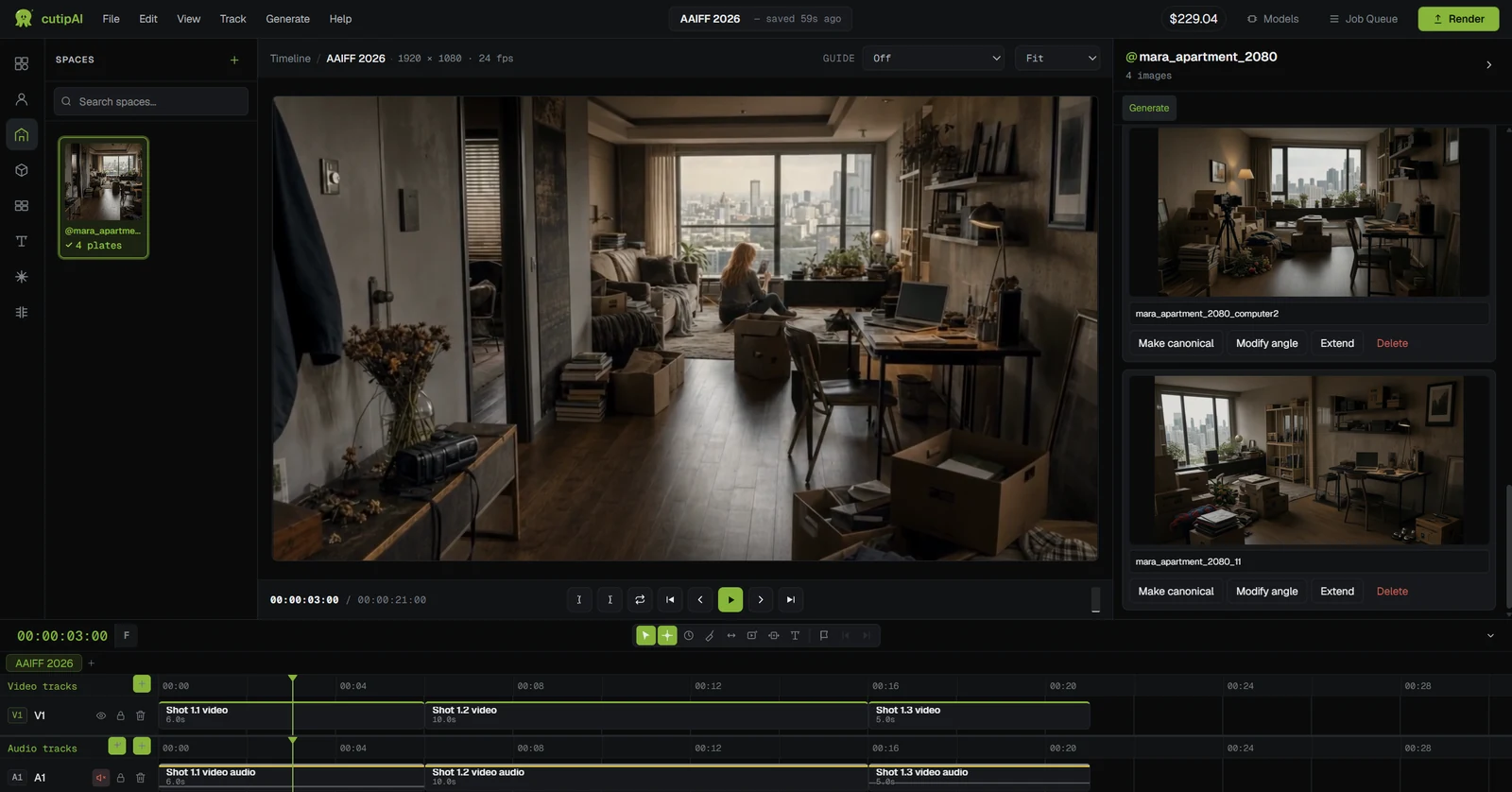
In cutipAI the recurring pieces of the film exist before the shots do. Characters carry a face and a look; spaces are locations you can return to from another angle; objects keep their own detail. Each is built once and attached to whichever shots need it, so a scene shot on Tuesday and one shot the following week are drawing from the same source rather than from each other.
That is the same production discipline a live shoot uses — you cast, you dress a location, you keep continuity notes — and it is the part that translates unchanged into generated filmmaking. How the references work.
The screenplay is edited inside the storyboard, so the scenes and shots you plan are the same objects the writing describes rather than a document that drifts out of step with the board.
Slug lines, shots and frames come first. A structural problem found on the board costs nothing; the same problem found after twenty generated shots costs twenty generations.
Dialogue written into a shot drives the character voices and lipsync, so a line change is a line change rather than a re-synchronisation job in another tool.
Generated shots and any footage you filmed land in the same timeline with music, captions and titles, and the finished film exports to MP4, WebM or ProRes.
cutipAI does not write your film and does not decide your shots. Every generation is a decision you make and a cost you approve, and the judgement about what is worth keeping stays with you — which is the part that makes the result yours rather than a model’s.
What the workspace removes is the administration around that judgement: re-describing a character for the fortieth time, tracking which clip belongs to which scene, and moving files between four tools to reach a cut.
There is no length limit in the product; what bounds a project in practice is how many shots you choose to generate, since each one is priced individually. Most people working this way build in scenes rather than committing to a runtime up front.
Yes. Your own media imports into the same timeline as the generated shots, and it stays on your machine — cutipAI links to it rather than uploading it.
The timeline is a conventional one — clips, trims, transitions, audio, titles — so editing experience helps and is not assumed. The parts specific to generated filmmaking are the entities and the storyboard, and those are the parts this workspace is built around.
It depends on how many shots you generate and how many times you re-run them. Every generation shows an estimated cost before it runs and the final charge is the actual cost, which can land either side of the estimate. There is no subscription — see pricing.
Open a project, build the cast and the locations your story needs, and board the first scene before you generate a frame of it.