Feature
Decide what the film is before you pay to generate it. The cutipAI storyboard holds the scenes, the shots and the frames that describe them, so the expensive part of the work starts from a plan instead of from a blank prompt box.
Prompt-first production inverts the order of a real shoot. You generate something, decide whether you like it, and then work out what the film was supposed to be — which means the structural decisions get made last, by whichever clips happened to come out well. Anything you then change upstream invalidates the shots downstream of it.
A storyboard is the oldest fix for this in the industry, and it survives the move to generated footage intact. Blocking a scene into shots costs nothing, and it is where you find out that the sequence needs a wide establishing frame, or that two shots are saying the same thing — before either has been generated.
A cutipAI production is organised as scenes containing shots. A scene carries its slug line — where it happens and when — and each shot beneath it carries what it shows, who is in it, and the dialogue spoken in it. The screenplay is edited inside the board rather than on a separate page, so the writing and the shot list cannot drift apart into two documents that disagree.
From there a shot becomes pictures. You generate its frames, and a shot with a first and a last frame has both ends of its movement described — which is what the video generation then works between. A shot that is not ready to be generated stays a shot; the board is usable long before any of it has been rendered.
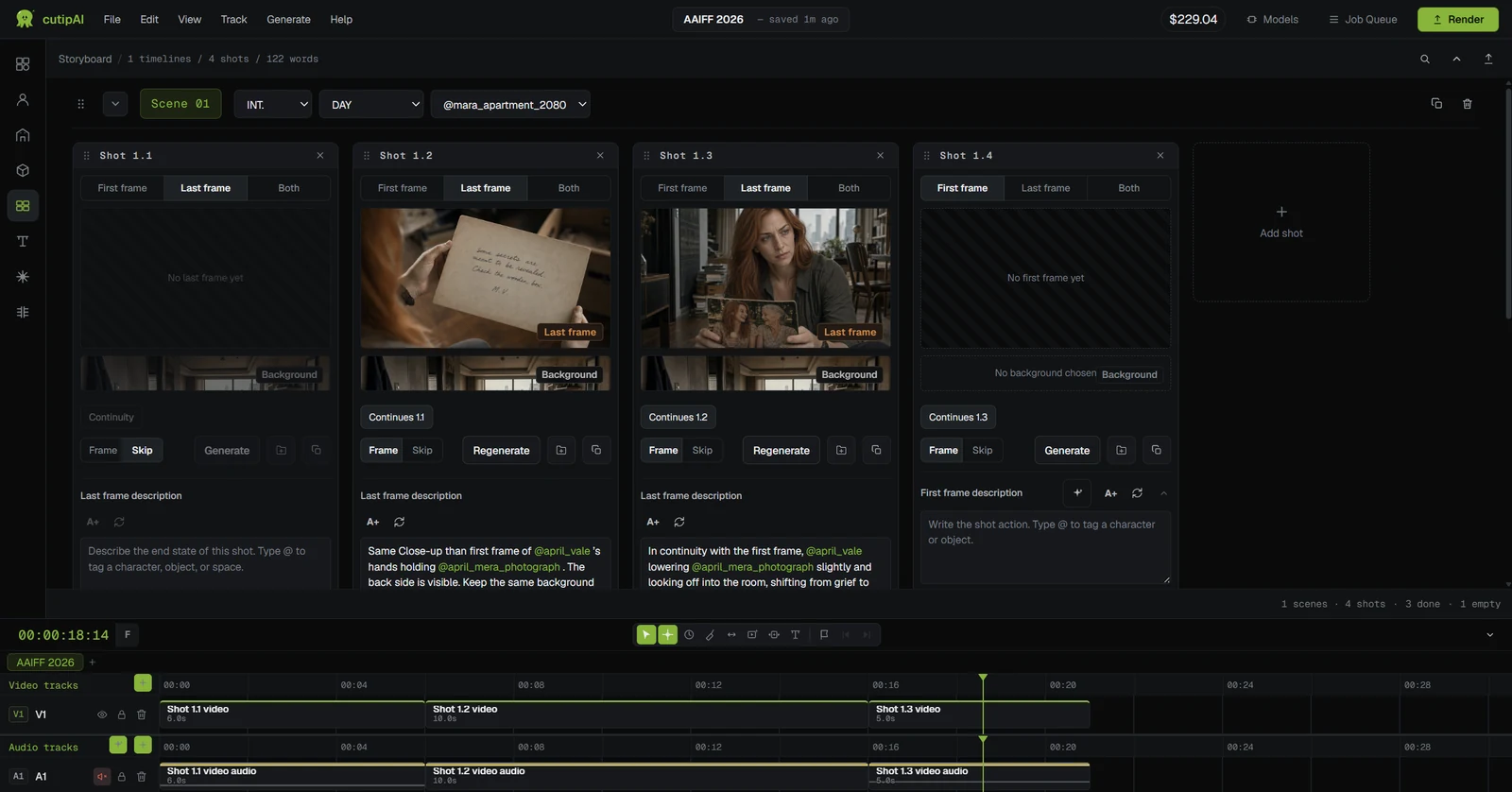
Shots sit in the sequence they play, so a gap in the story is visible as a gap on the board rather than as a feeling that something is missing when you assemble the edit.
A shot references the characters, spaces and objects the project already holds, so it inherits their look instead of re-describing it and hoping for a match.
The lines written into a shot are the lines used for dialogue voices and lipsync, rather than being retyped into an unrelated tool and re-synchronised by hand.
Every generation shows an estimated cost before it starts. The final charge is based on the actual generation cost and can be higher or lower, so the board is where you decide what is worth generating at all.
Generated shots do not stop at the board. They carry into the timeline alongside your own footage, where you trim them, order them, add voice, music and captions, and export the finished video — the whole production in one workspace rather than a hand-off between three.
That continuity is what makes the board worth keeping accurate. It is not a planning artefact you abandon once generation starts; it is the structure the finished film is assembled from.
No. You can generate a shot as soon as you have described it. The board earns its keep on multi-shot work, where the cost of discovering a structural problem late is the thing it removes.
Yes. The screenplay is edited inside the storyboard, so the scenes and shots you plan are the same objects the writing describes rather than a second copy of them.
Regenerate the shot. Because the characters, spaces and objects it references are held by the project, a re-run starts from the same sources and does not put the rest of the sequence out of alignment.
It depends on the model and the settings, which is why an estimate is shown before each run rather than a price list being published here. A generation that fails or is cancelled is not charged, and any amount held for it returns to your balance.
Open a project, break the piece into scenes and shots, and generate from a board that already knows who is in the film and where it happens.