Resources
How a production is actually built in cutipAI — the order the work happens in, the vocabulary the workspace uses, and where to read more about each part of it.
Generated filmmaking rewards the same sequence a live production does, and most of the expensive mistakes come from taking it out of order — generating first and deciding what the film is afterwards. What follows is the order the workspace is built around.
Build the characters, spaces and objects the piece keeps returning to. This is the step that makes every later shot cheaper, because a shot can then say who and where instead of re-describing everything.
Break the piece into scenes and shots with the dialogue in place. Structural problems are free to fix here and expensive to fix after twenty shots have been generated.
Turn shots into pictures, one shot at a time, against the references the project already holds. Each generation shows an estimated cost before it runs.
Move from frames to moving shots, choosing the generation approach that suits each one, and add the voice and lipsync the written dialogue drives.
Assemble the shots with your own footage in the timeline, add music, captions and titles, and export — with upscaling and reframing where a delivery needs them.
Character consistency covers step one — why a reference behaves differently from a description, and what it actually carries.
AI storyboard for filmmaking covers step two, and the argument for planning before the generation budget is committed.
Multi-model AI filmmaking covers the decision that runs through steps three and four: keeping one production while the generation approach changes shot by shot.
For the shape of a whole piece, the two use-case pages follow the sequence end to end — AI commercial creation over a short brief with a product and a presenter in it, and AI short-film production over several scenes and a recurring cast.
The three kinds of reusable reference a project holds — a person, a place, a thing. Each is built once and attached to the shots that need it.
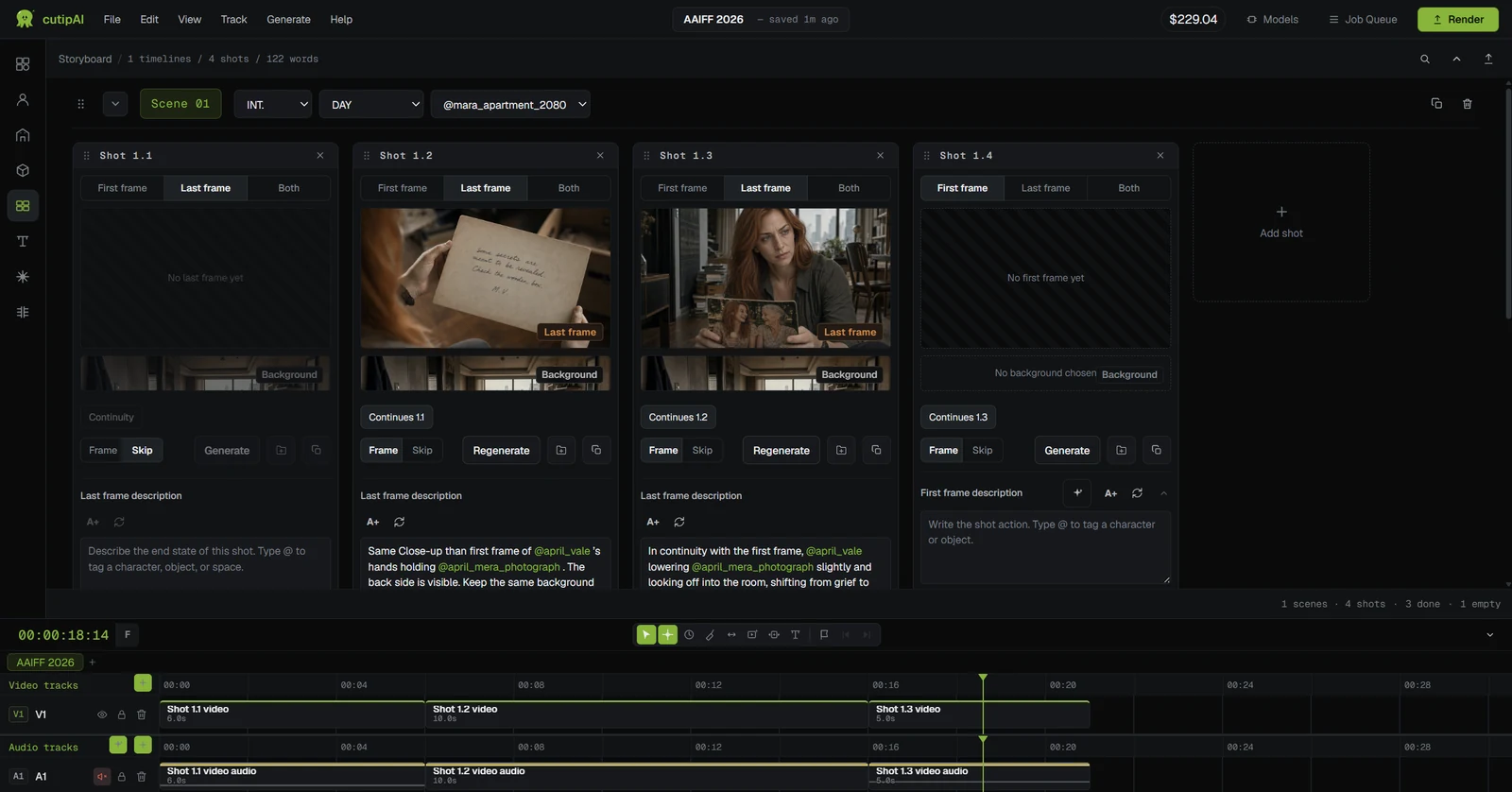
A scene is a continuous piece of action in one place; a shot is one camera setup inside it. The storyboard is organised as scenes containing shots.
The still images that describe where a shot starts and ends. A shot with both has the ends of its movement described, which is what video generation works between.
The figure shown before a generation runs. It is a quote against the model and the settings; the final charge is the actual cost and can be higher or lower.
The edit. Generated shots and your own footage sit on it together with audio, captions and titles, and the finished video is exported from it.
Prepaid balance in US Dollars, spent on generation as you produce. There is no subscription, and unused credit remains available while your account is active.
Open a project, build the cast and locations your piece needs, and board a scene before you generate a frame of it.